



As the digital ecosystem of the modern vehicle continues to expand, the battle for the center console has reached a fever pitch. Today, Apple officially launched iOS 27, an update that—while heavily marketed on its broad suite of AI-driven mobile features—contains a series of subtle, yet profoundly meaningful updates for Apple CarPlay. For automotive enthusiasts and daily commuters alike, these changes represent a nuanced evolution of the interface that has arguably become the most important "feature" in a new car purchase.
Having spent several days testing the Release Candidate version of iOS 27 on an iPhone 17, it is clear that Apple is moving away from the drastic UI overhauls of the past and toward a philosophy of deep integration and granular control.
The Core Updates: Refining the Digital Cockpit
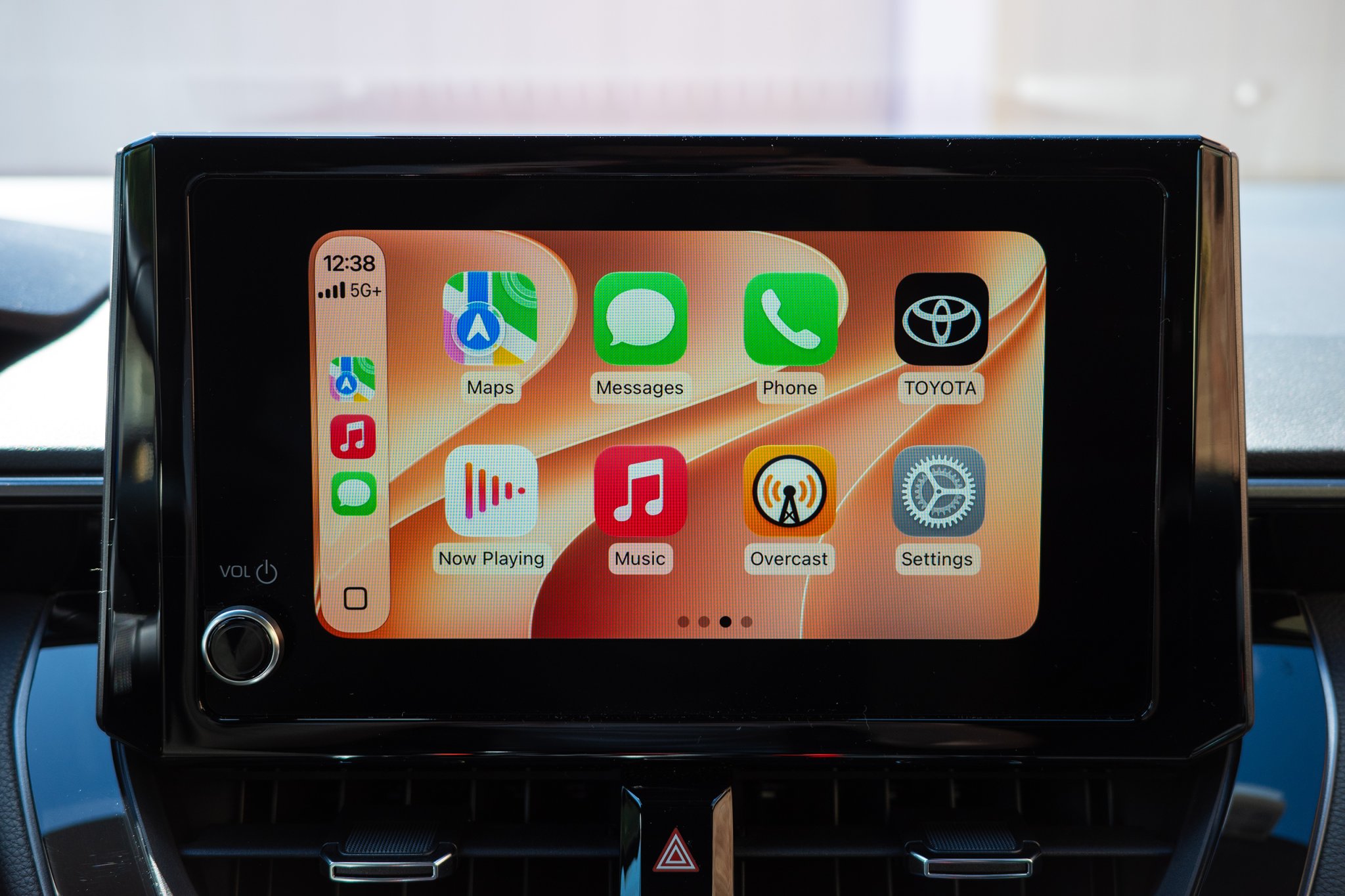
For years, CarPlay was a "take it or leave it" proposition. You had a grid of apps, a navigation screen, and a media player. Last year’s iOS 26 update introduced the "Liquid Glass" aesthetic—a polarizing, high-gloss visual language—along with enhanced UI scaling. iOS 27 doubles down on this visual identity, extending the Liquid Glass theme into new system-wide wallpapers and fluid animations that feel more native to the high-resolution displays found in modern EVs and luxury vehicles.
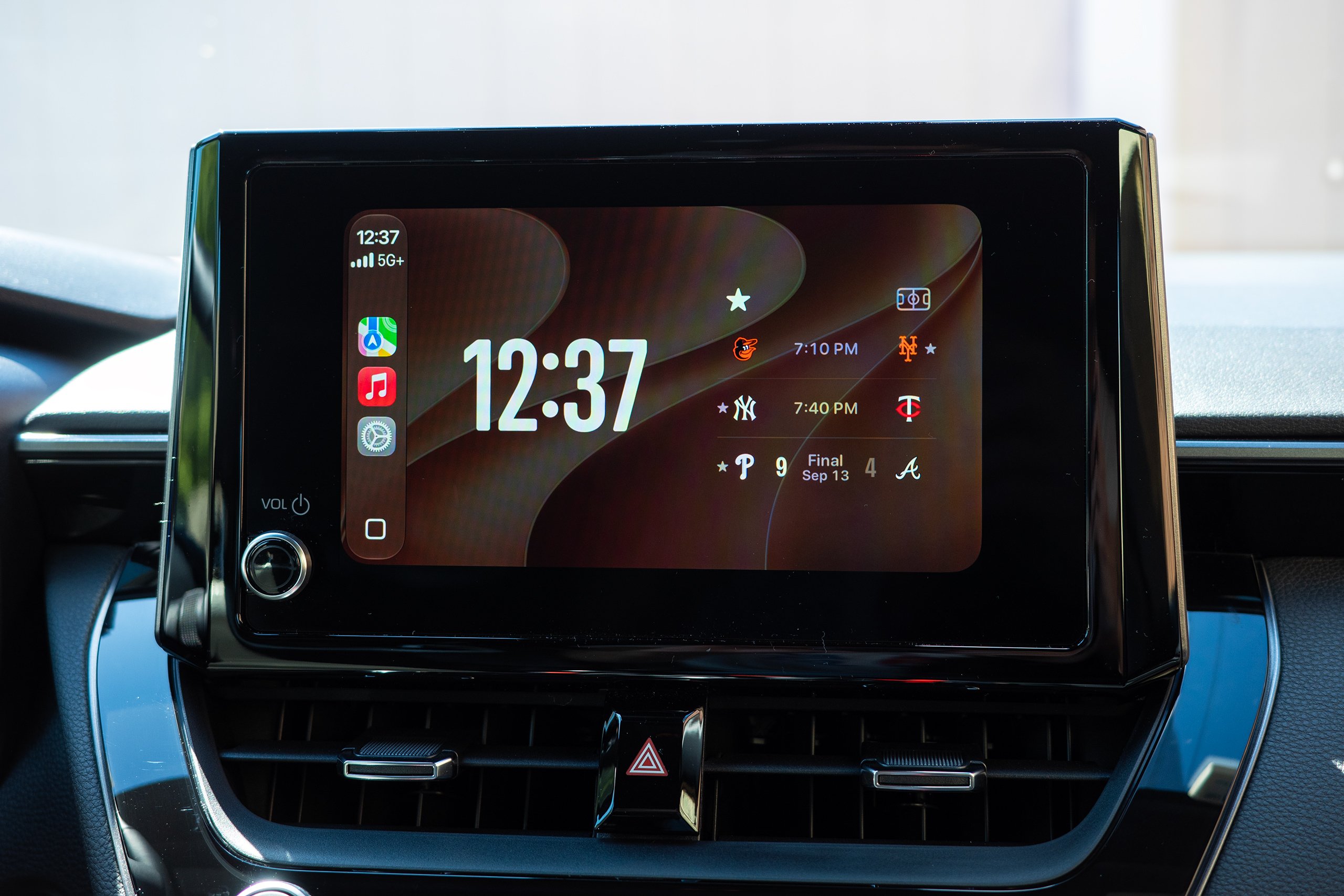
However, the aesthetic polish is secondary to the functional expansion. The most immediate change users will notice is the removal of the rigid, Apple-curated widget restrictions. Previously, CarPlay users were limited to a handful of whitelisted widgets for weather, calendar, and clock functions. With iOS 27, the barrier has been dismantled: users can now port nearly any widget from their iPhone home screen directly to their CarPlay dashboard. Whether you want a dedicated sports ticker from Apple Sports, a stock market monitor, or a home automation controller, the dashboard is now truly yours to configure.
Chronology of the CarPlay Interface
To understand the significance of the iOS 27 update, one must look at the trajectory of Apple’s automotive strategy over the last decade:
- 2014-2016 (The Foundation): Apple introduces CarPlay as a simple mirroring tool, tethered via Lightning cable, focused on basic telephony, music, and Maps.
- 2017-2020 (The Wireless Shift): The introduction of wireless CarPlay removes the physical tether, changing the "in-car experience" from a plug-in chore to a seamless connection.
- 2021-2023 (Dashboard Integration): Apple begins allowing split-screen views and deeper integration with vehicle data, such as speed and fuel levels.
- 2024-2025 (The Liquid Glass Era): iOS 26 arrives, bringing a unified, design-forward aesthetic that treats the car’s screen as a high-end tablet rather than a secondary monitor.
- 2026-2027 (The AI/Integration Pivot): iOS 27 introduces AI-contextual awareness, cross-platform navigation sharing, and, for the first time, granular media control.
Supporting Data and User Experience
The integration of the new, AI-powered Siri into the car environment is perhaps the most ambitious aspect of the update. By adding a dedicated Siri application within the CarPlay ecosystem, Apple is addressing a long-standing pain point: context decay.
In previous versions, if a user made a request—such as "text Jerry about the GR Corolla"—and the response was misinterpreted, the user had to start from scratch. Now, the Siri app maintains a log of your active session. By tapping on previous requests, you can re-trigger or modify past commands without needing to repeat the full syntax. While this requires a newer iPhone capable of running Apple’s advanced local AI models, the efficiency gain for a driver is palpable. It turns the voice assistant from a "one-and-done" query tool into a functional, conversational partner that actually remembers the user’s intent.
Navigation and Media: Finally, Basic Utility
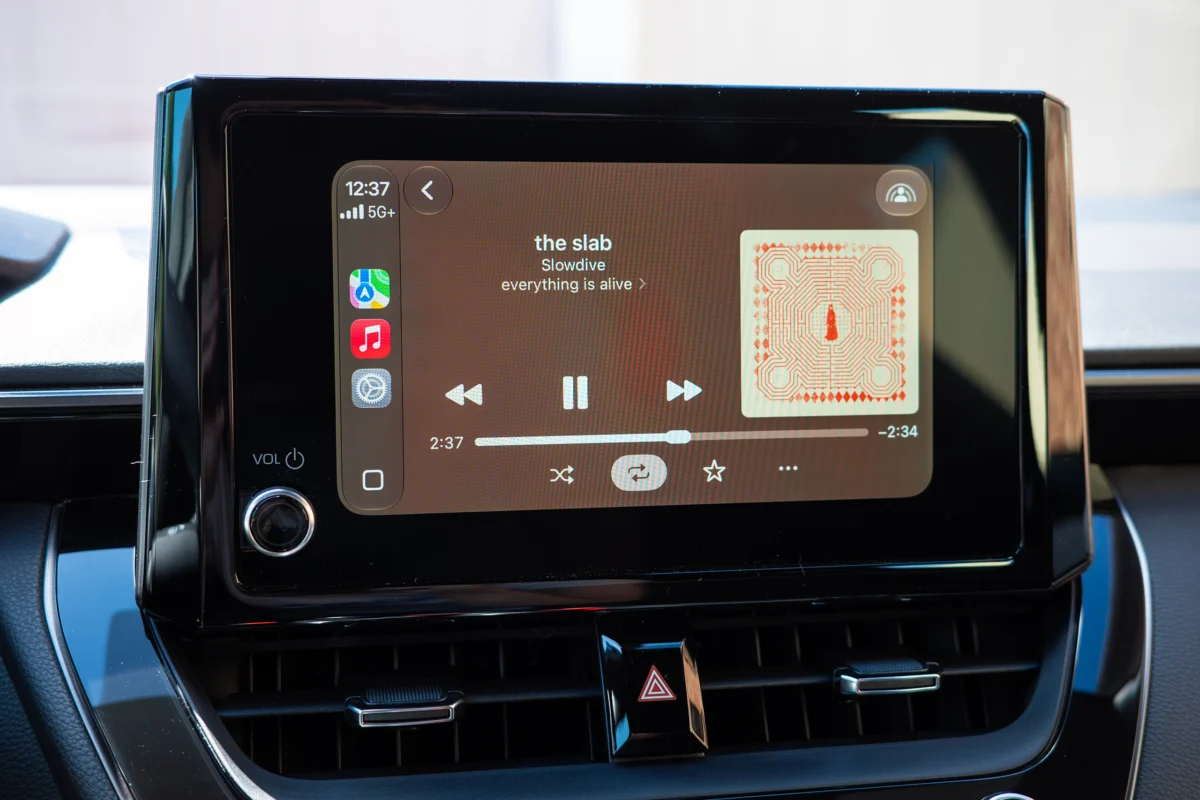
Perhaps the most "common sense" addition—and one that leaves many scratching their heads as to why it wasn’t there before—is the ability to scrub through media. Users can now physically drag the playhead on the progress bar in Apple Music and various podcast apps.
While it seems trivial, the inability to jump to a specific minute in a long-form podcast without asking Siri to "skip ahead 30 seconds" has been a consistent annoyance for the CarPlay user base. By adding a scrub-capable interface, Apple is finally acknowledging that the car screen is a primary media consumption device, not just a secondary screen.
Navigational Parity: Bridging the Divide
The most strategic update in iOS 27 is the "Navigation Handover." Users can now share an active Apple Maps route directly with their vehicle’s built-in navigation software.
This is a direct response to the "walled garden" strategy employed by manufacturers like GM and Rivian. These automakers have argued that by building their own OS, they can provide a superior experience, particularly regarding EV-specific features like pre-conditioning the battery or routing based on specific charging infrastructure.
By allowing Apple Maps to feed its data into the vehicle’s native system, Apple is effectively saying: "You don’t need to choose between us." If your car’s built-in nav has a superior EV battery management system, you can use the familiar, intuitive Apple Maps interface to set your destination, and the car’s native software will handle the complex, hardware-specific logistics.
Implications for the Industry
The rollout of iOS 27 arrives at a time of tension between Big Tech and the automotive industry. As car companies look to turn their infotainment systems into subscription-revenue centers, Apple’s continued refinement of CarPlay presents a significant competitive threat.
The Standoff Over Video
One feature notably absent from broad availability is the ability to play video while parked. While both Apple and Google have teased this functionality at developer conferences, the rollout remains stalled. The technical capability exists, but the "gatekeeper" is the automaker. Because the car must confirm to the iPhone that it is in "Park" or "Drive" state, vehicle manufacturers are currently refusing to whitelist this feature.
This highlights a growing divide: Apple wants to turn the car into a mobile living room, while automakers are fighting to maintain control over the vehicle’s "drive state" data, fearing that ceding this control will diminish their brand’s unique identity and potential for future revenue streams.
Is CarPlay Becoming Redundant?
Critics from the automotive software sector often argue that smartphone projection is a stopgap measure. They suggest that as vehicles become "computers on wheels," the phone should fade into the background. However, the release of iOS 27 suggests that for the average consumer, the "phone-in-the-pocket" experience is still superior to the often-clunky, proprietary software found in many factory-installed systems.
By prioritizing usability—such as adding the ability to scrub media and share routes—Apple is ensuring that the user’s experience remains consistent, regardless of whether they are driving a base-model sedan or a luxury EV.
Final Thoughts: A Measured Step Forward
iOS 27 isn’t a revolution in the way that the original launch of CarPlay was. It doesn’t radically change the dashboard layout or introduce an entirely new paradigm for interaction. Instead, it is a testament to Apple’s maturity in the automotive space.
The update focuses on the "tiny ways" that make a drive better: the convenience of a widget you actually want, the ability to scrub a podcast without taking your eyes off the road for too long, and the bridge between phone navigation and vehicle hardware. As the industry debates the future of in-car software, Apple is betting that the most successful platform will be the one that respects the driver’s habits while quietly removing the friction from their daily commute.
For now, the battle for the dashboard continues, but with iOS 27, Apple has strengthened its position, proving that in the world of automotive technology, the best features are often the ones that simply make things work the way they should have from the start.
